> ## Documentation Index
> Fetch the complete documentation index at: https://etherspot.fyi/llms.txt
> Use this file to discover all available pages before exploring further.

# Get an API key

Bundler API keys are required to use the Prime SDK. These keys:

* Track API calls made to Skandha across [supported chains](/skandha/chains)
* Are configured during SDK [instantiation](/prime-sdk/instantiation)
* Come with different subscription plans based on your API usage needs

<video width="100%" controls>
  <source src="https://mintcdn.com/etherspot/H2UQS5QvokClTYDR/images/0.mp4?fit=max&auto=format&n=H2UQS5QvokClTYDR&q=85&s=ba374ae2f5d86bb4e7663828cb95f9cd" type="video/mp4" data-path="images/0.mp4" />

  Your browser does not support the video tag.
</video>

<div className="api-key-guide">
  <h1>Getting Started with portal.etherspot.io</h1>

  <div className="step">
    <h3>
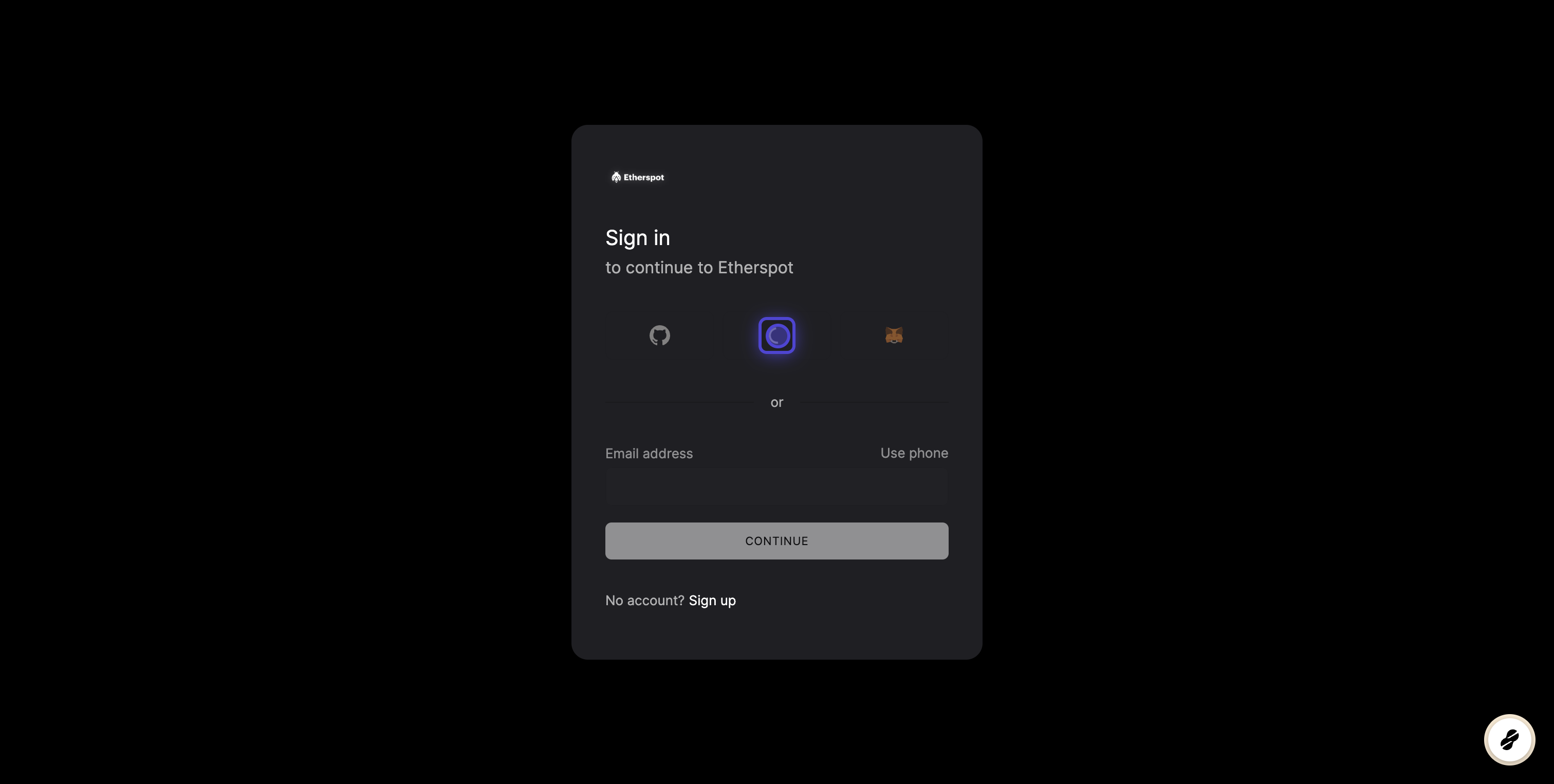
      <a href="https://developer.etherspot.io/sign-in">1. Sign in to the Developer Portal</a>
    </h3>

    <p>Visit portal.etherspot.io and sign in / register</p>

    <img src="https://mintcdn.com/etherspot/H2UQS5QvokClTYDR/images/0.png?fit=max&auto=format&n=H2UQS5QvokClTYDR&q=85&s=dd995d961bd1cc881c4f79ecf161649d" alt="Sign in to Developer Portal" width="3024" height="1526" data-path="images/0.png" />
  </div>

  <div className="step">
    <h3>
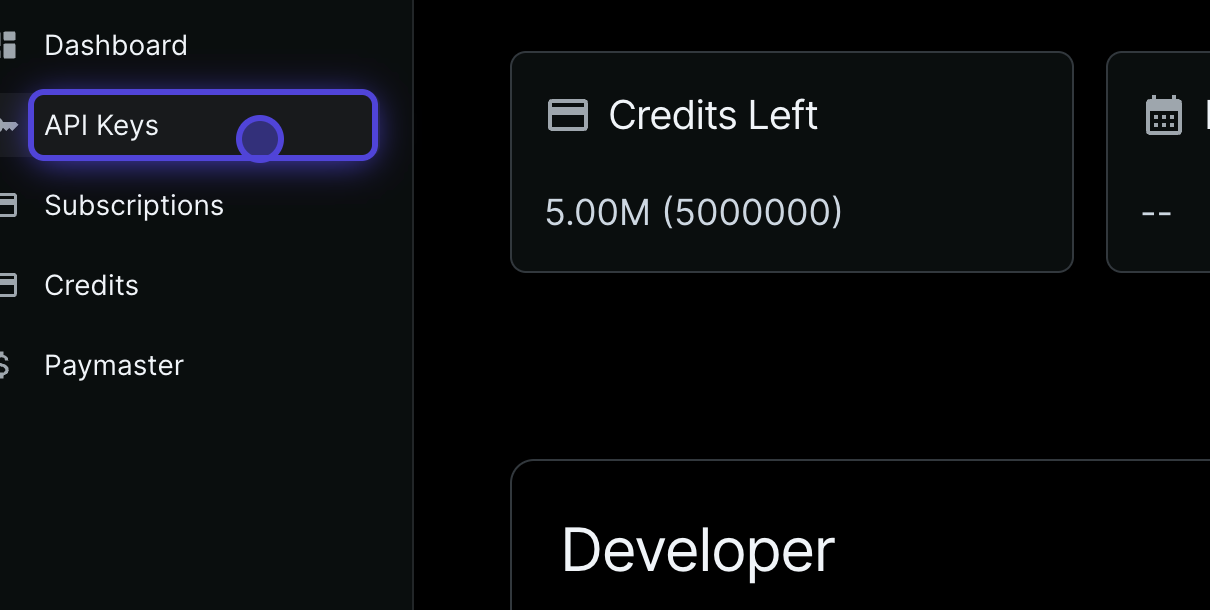
      <a href="https://developer.etherspot.io/dashboard">2. Navigate to API Keys</a>
    </h3>

    <p>From the dashboard, locate and click on the API Keys section</p>

    <img src="https://mintcdn.com/etherspot/H2UQS5QvokClTYDR/images/1.png?fit=max&auto=format&n=H2UQS5QvokClTYDR&q=85&s=1abd3b3c0dcce58f0181c1e38095f6e7" alt="Navigate to API Keys" width="1210" height="610" data-path="images/1.png" />
  </div>

  <div className="step">
    <h3>
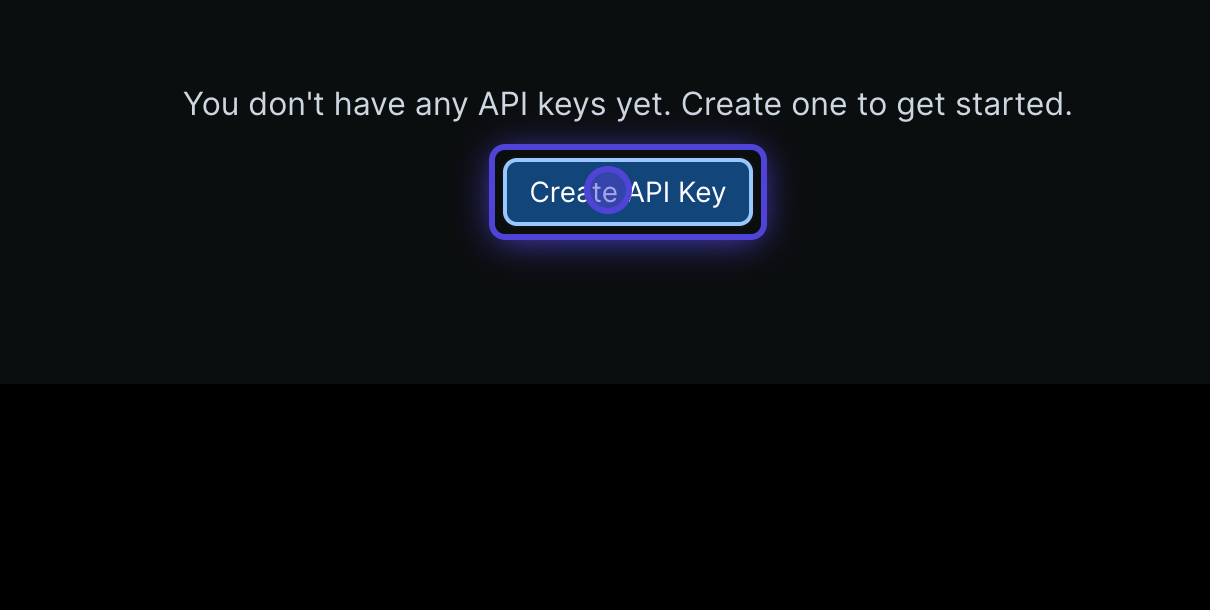
      <a href="https://developer.etherspot.io/dashboard/api-keys">3. Create New API Key</a>
    </h3>

    <p>Click the "Create API Key" button to start generating your key</p>

    <img src="https://mintcdn.com/etherspot/H2UQS5QvokClTYDR/images/2.png?fit=max&auto=format&n=H2UQS5QvokClTYDR&q=85&s=53b44c4c69520f4035e04fc43bc40551" alt="Create New API Key" width="1210" height="610" data-path="images/2.png" />
  </div>

  <div className="step">
    <h3>
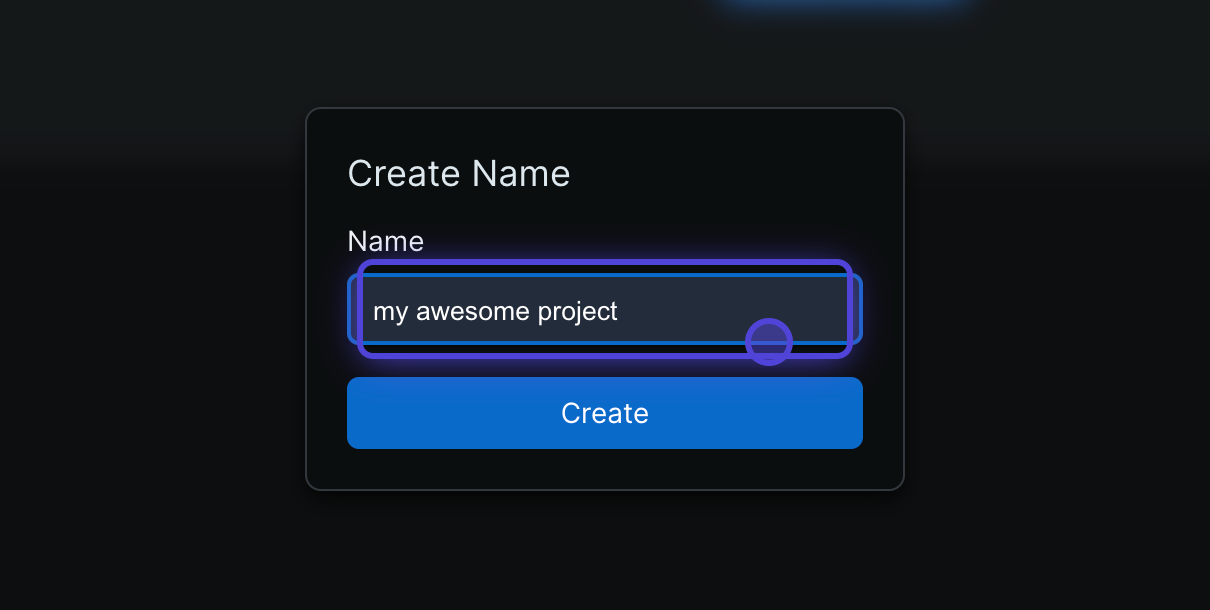
      <a href="https://developer.etherspot.io/dashboard/api-keys">4. Name Your Project</a>
    </h3>

    <p>Enter a descriptive name for your project to help identify this API key</p>

    <img src="https://mintcdn.com/etherspot/H2UQS5QvokClTYDR/images/3.png?fit=max&auto=format&n=H2UQS5QvokClTYDR&q=85&s=0ba5e126281bbfdabcca51121740574a" alt="Name Your Project" width="1210" height="610" data-path="images/3.png" />
  </div>

  <div className="step">
    <h3>
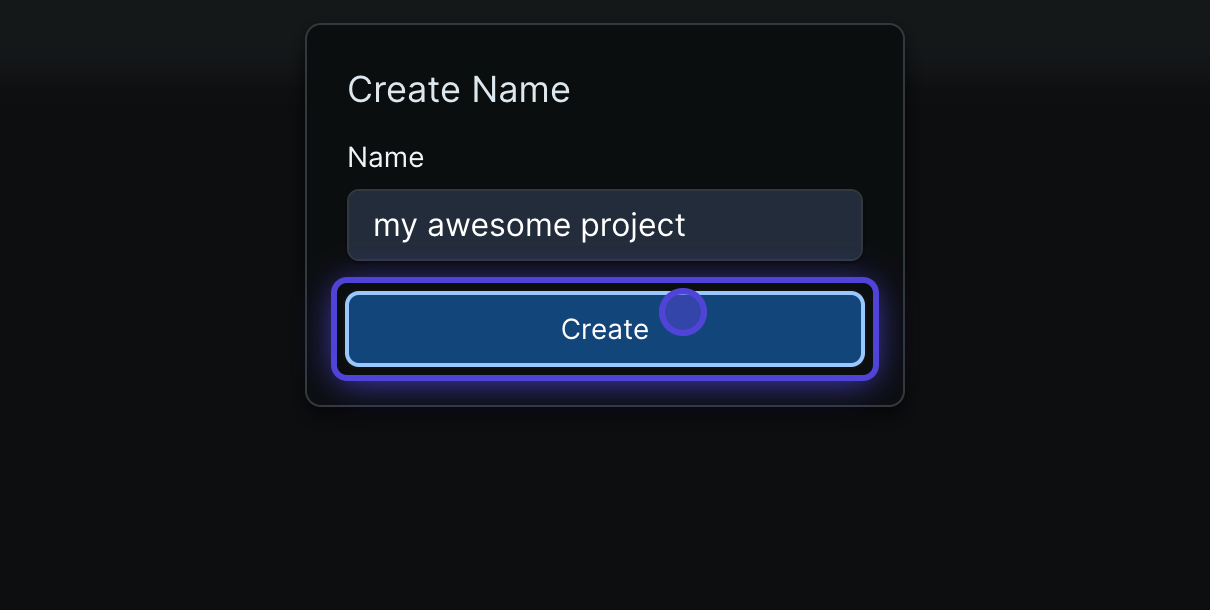
      <a href="https://developer.etherspot.io/dashboard/api-keys">5. Generate the Key</a>
    </h3>

    <p>Click "Create" to generate your new API key</p>

    <img src="https://mintcdn.com/etherspot/H2UQS5QvokClTYDR/images/4.png?fit=max&auto=format&n=H2UQS5QvokClTYDR&q=85&s=ea167be9a2fb840ced96842298eabb5a" alt="Generate API Key" width="1210" height="610" data-path="images/4.png" />
  </div>

  <div className="step">
    <h3>
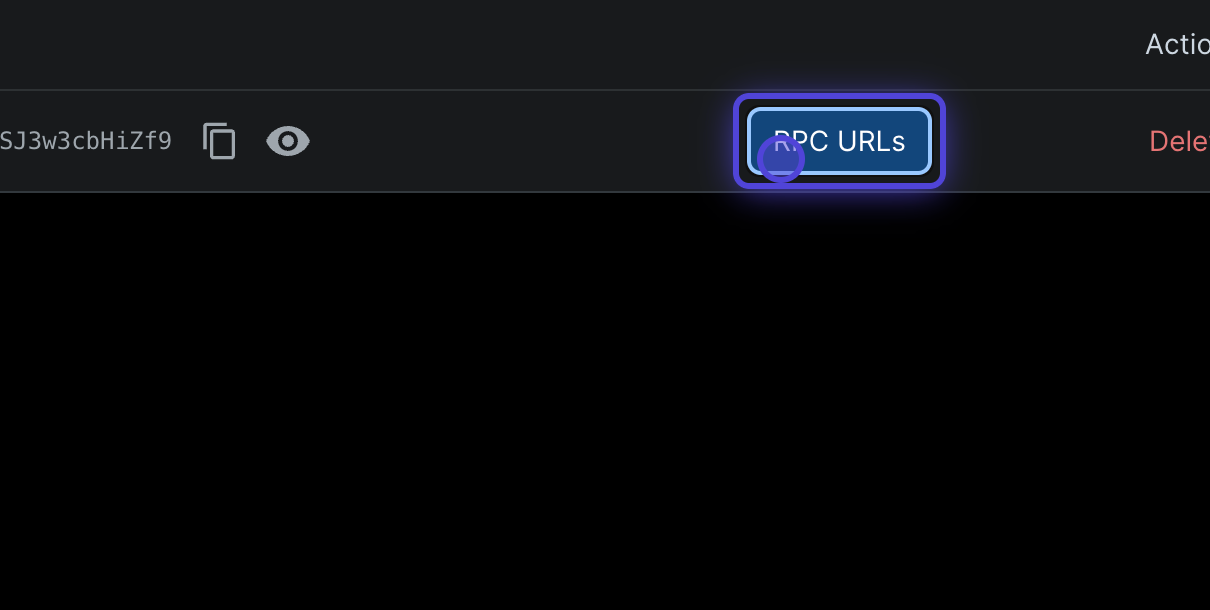
      <a href="https://developer.etherspot.io/dashboard/api-keys">6. Access RPC URLs</a>
    </h3>

    <p>Click on "RPC URLs" to configure your network settings</p>

    <img src="https://mintcdn.com/etherspot/H2UQS5QvokClTYDR/images/5.png?fit=max&auto=format&n=H2UQS5QvokClTYDR&q=85&s=304e8a677ce5e24969f8c2325094d937" alt="Access RPC URLs" width="1210" height="610" data-path="images/5.png" />
  </div>

  <div className="step">
    <h3>
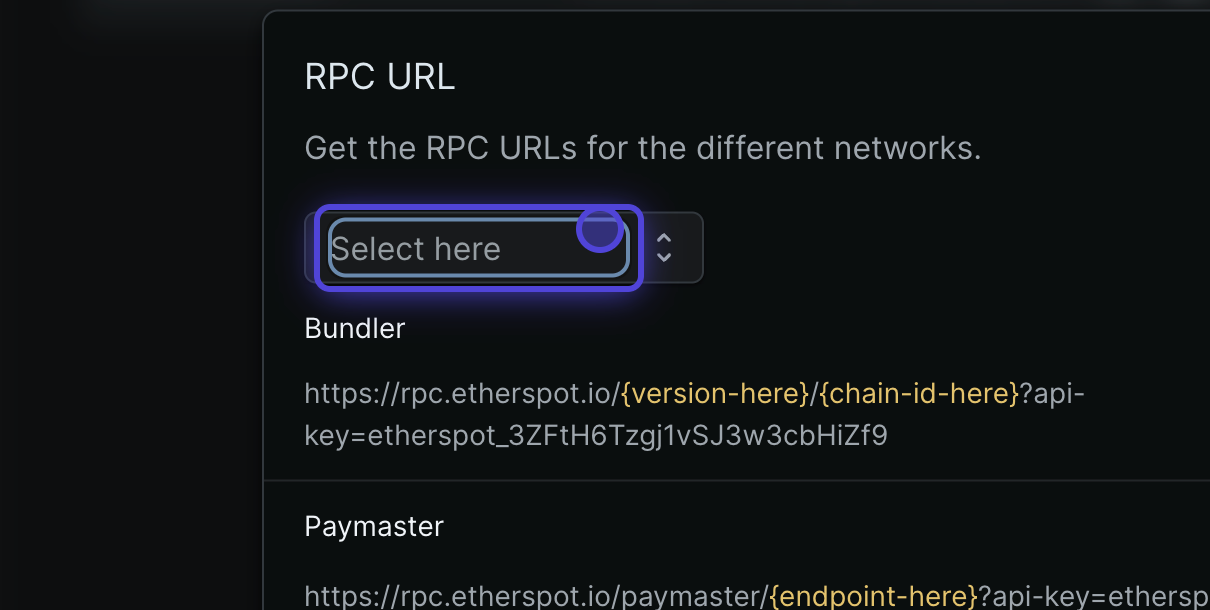
      <a href="https://developer.etherspot.io/dashboard/api-keys">7. Choose Network</a>
    </h3>

    <p>Click "Select here" to choose your network configuration</p>

    <img src="https://mintcdn.com/etherspot/H2UQS5QvokClTYDR/images/6.png?fit=max&auto=format&n=H2UQS5QvokClTYDR&q=85&s=ff8dd90ef592629dc7aaa6c1adb0fcbd" alt="Choose Network" width="1210" height="610" data-path="images/6.png" />
  </div>

  <div className="step">
    <h3>
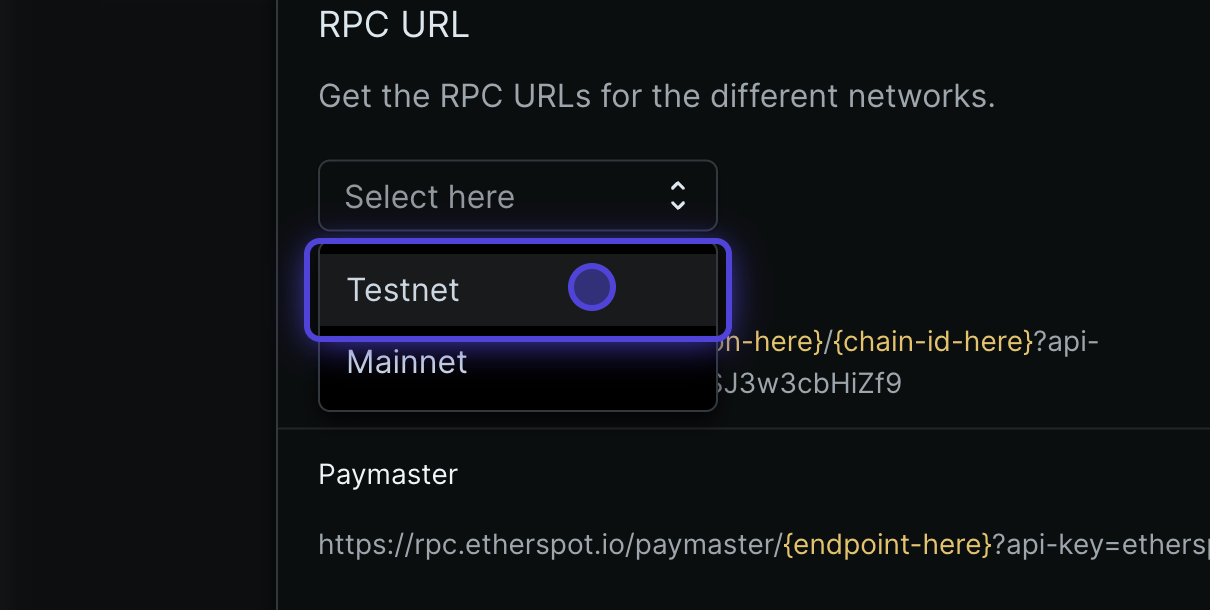
      <a href="https://developer.etherspot.io/dashboard/api-keys">8. Choose Network Type</a>
    </h3>

    <p>Select between Testnet or Mainnet based on your development needs</p>

    <img src="https://mintcdn.com/etherspot/H2UQS5QvokClTYDR/images/7.png?fit=max&auto=format&n=H2UQS5QvokClTYDR&q=85&s=a3db69c27eef3167771edccb5c1562e1" alt="Choose Network Type" width="1210" height="610" data-path="images/7.png" />
  </div>

  <div className="step">
    <h3>
      <a href="https://developer.etherspot.io/dashboard/api-keys">9. Select Specific Network</a>
    </h3>

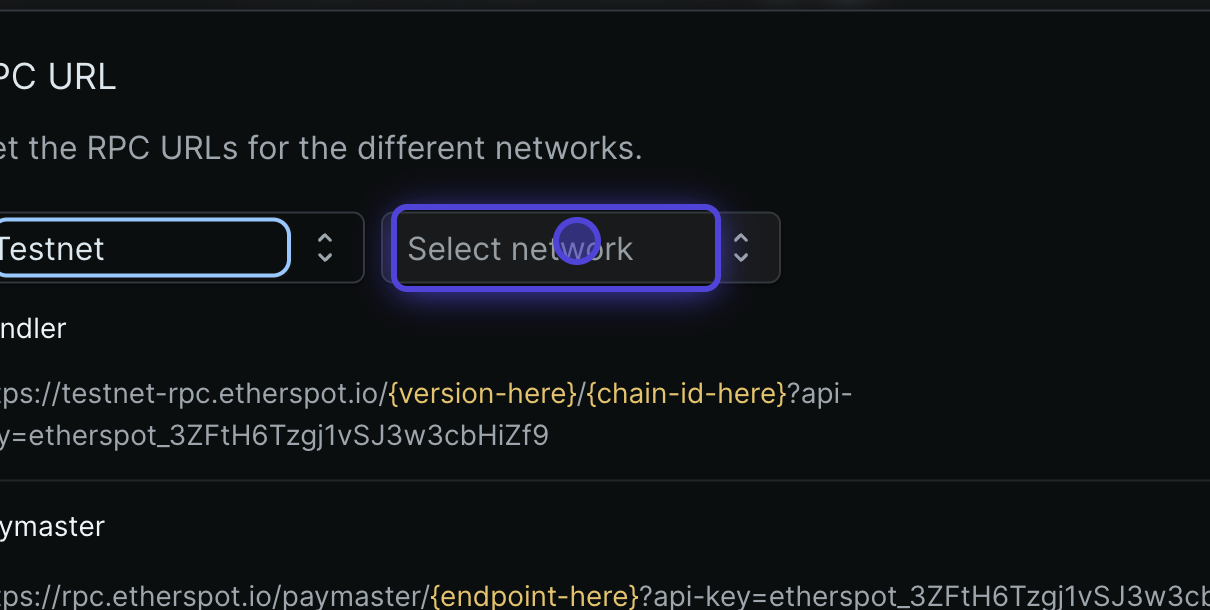
    <p>Click "Select network" to view available networks</p>

    <img src="https://mintcdn.com/etherspot/H2UQS5QvokClTYDR/images/8.png?fit=max&auto=format&n=H2UQS5QvokClTYDR&q=85&s=b05220226daafd1e4d99123892b7ada6" alt="Select Network" width="1210" height="610" data-path="images/8.png" />
  </div>

  <div className="step">
    <h3>
      <a href="https://developer.etherspot.io/dashboard/api-keys">10. Pick Your Network</a>
    </h3>

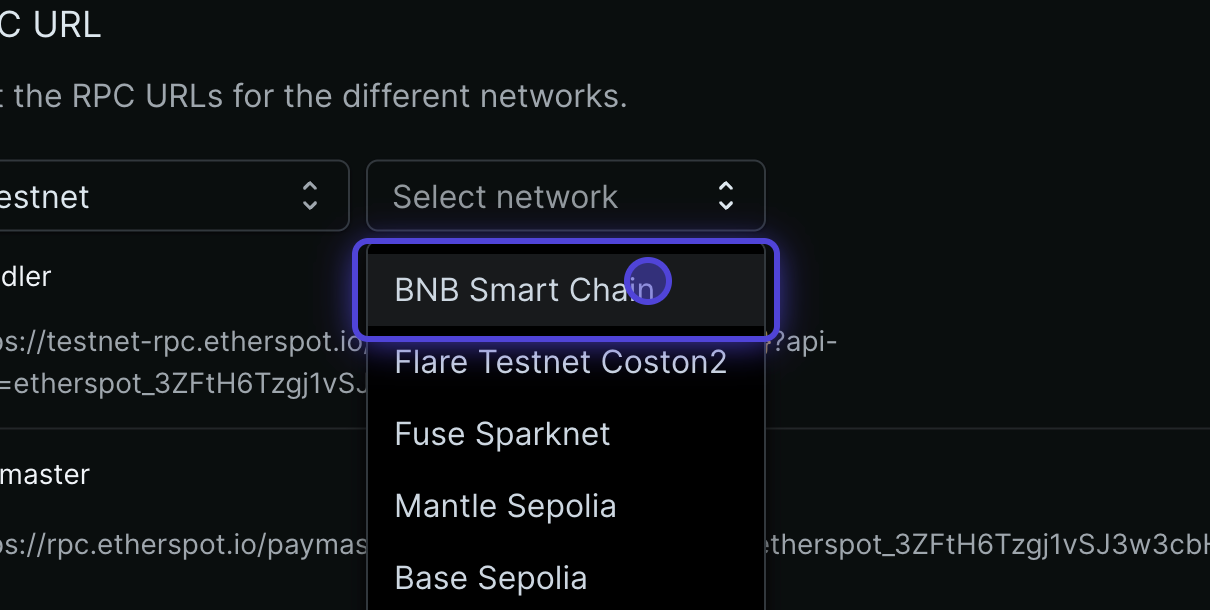
    <p>Choose the specific network you want to work with</p>

    <img src="https://mintcdn.com/etherspot/H2UQS5QvokClTYDR/images/9.png?fit=max&auto=format&n=H2UQS5QvokClTYDR&q=85&s=3b1517541569dd728a086a4d2da2fe5d" alt="Pick Network" width="1210" height="610" data-path="images/9.png" />
  </div>

  <div className="step">
    <h3>
      <a href="https://developer.etherspot.io/dashboard/api-keys">11. Select EntryPoint Version</a>
    </h3>

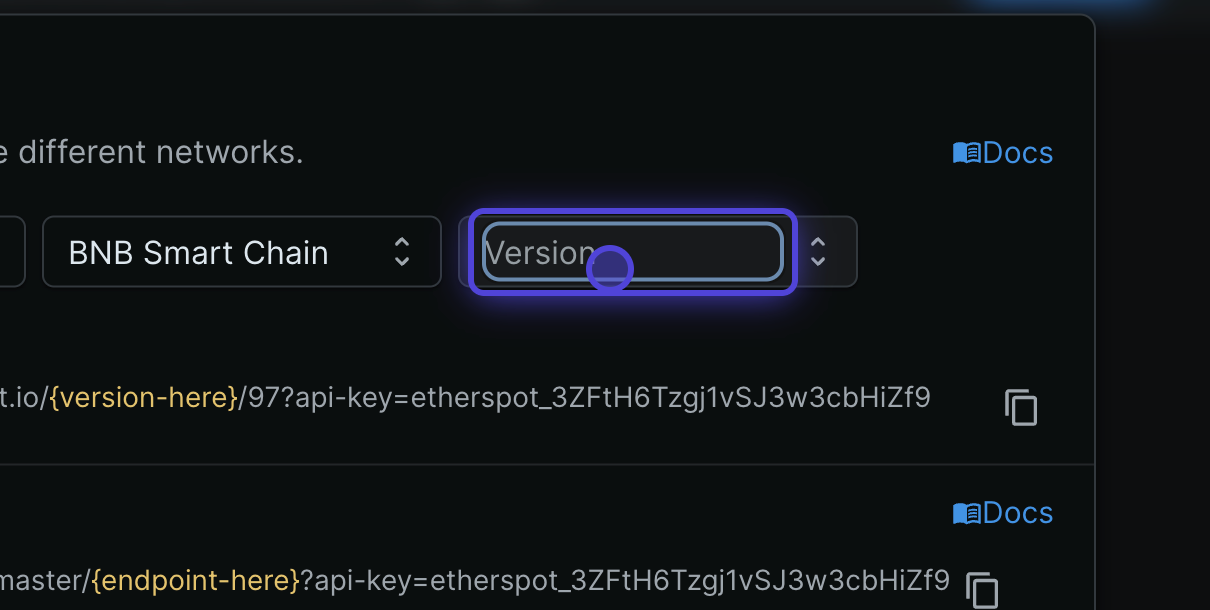
    <p>Choose between EntryPoint 6 (v1) or EntryPoint 7 (v2)</p>

    <img src="https://mintcdn.com/etherspot/H2UQS5QvokClTYDR/images/10.png?fit=max&auto=format&n=H2UQS5QvokClTYDR&q=85&s=daf756429dfd439905a60d489824cb25" alt="Select EntryPoint Version" width="1210" height="610" data-path="images/10.png" />
  </div>

  <div className="step">
    <h3>
      <a href="https://developer.etherspot.io/dashboard/api-keys">12. Configure for EP6</a>
    </h3>

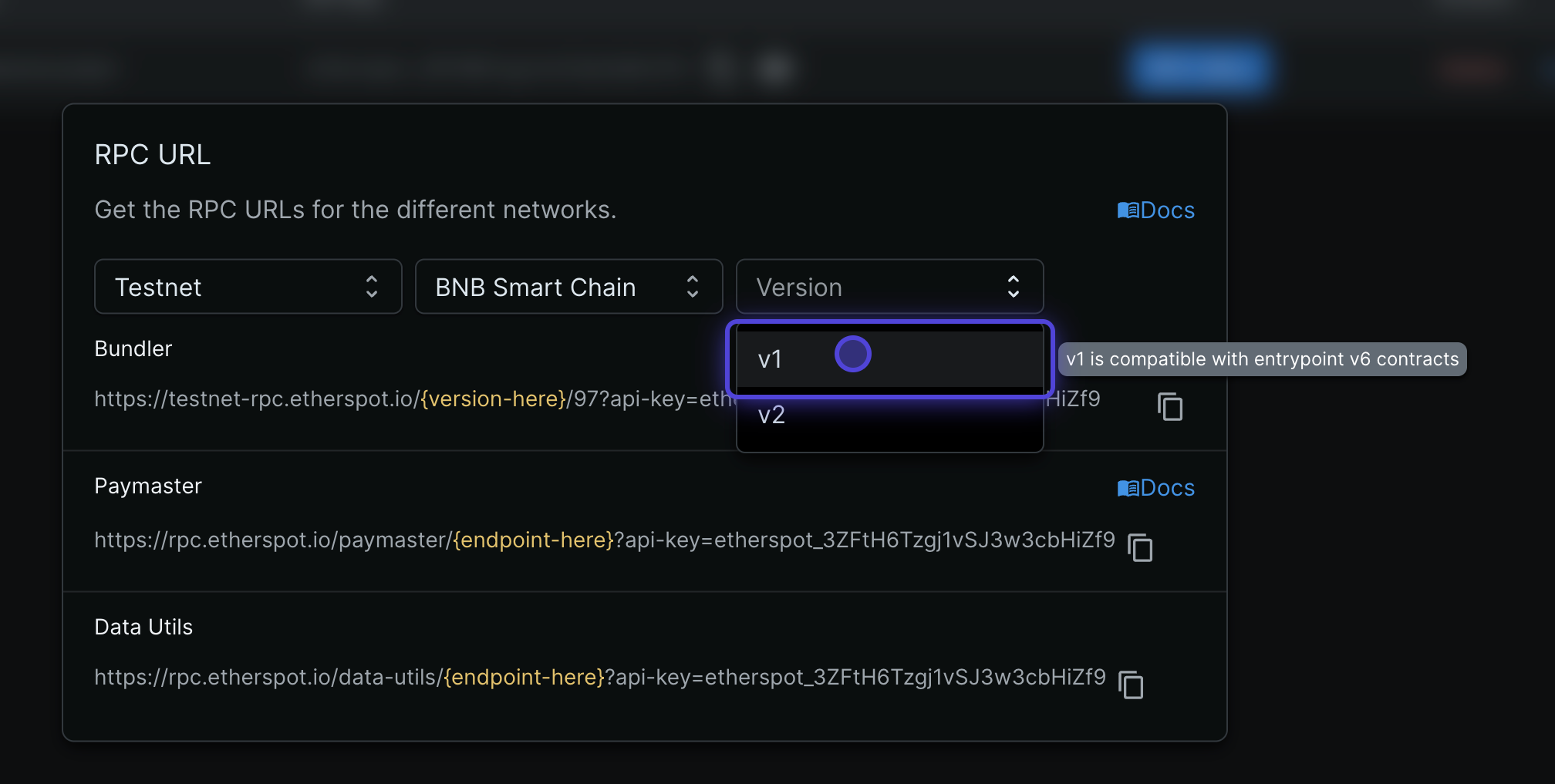
    <p>Select v1 if you need EntryPoint 6 compatibility</p>

    <img src="https://mintcdn.com/etherspot/H2UQS5QvokClTYDR/images/11.png?fit=max&auto=format&n=H2UQS5QvokClTYDR&q=85&s=300b565c342625509328d2179f6b0ed2" alt="Configure EP6" width="2016" height="1017" data-path="images/11.png" />
  </div>

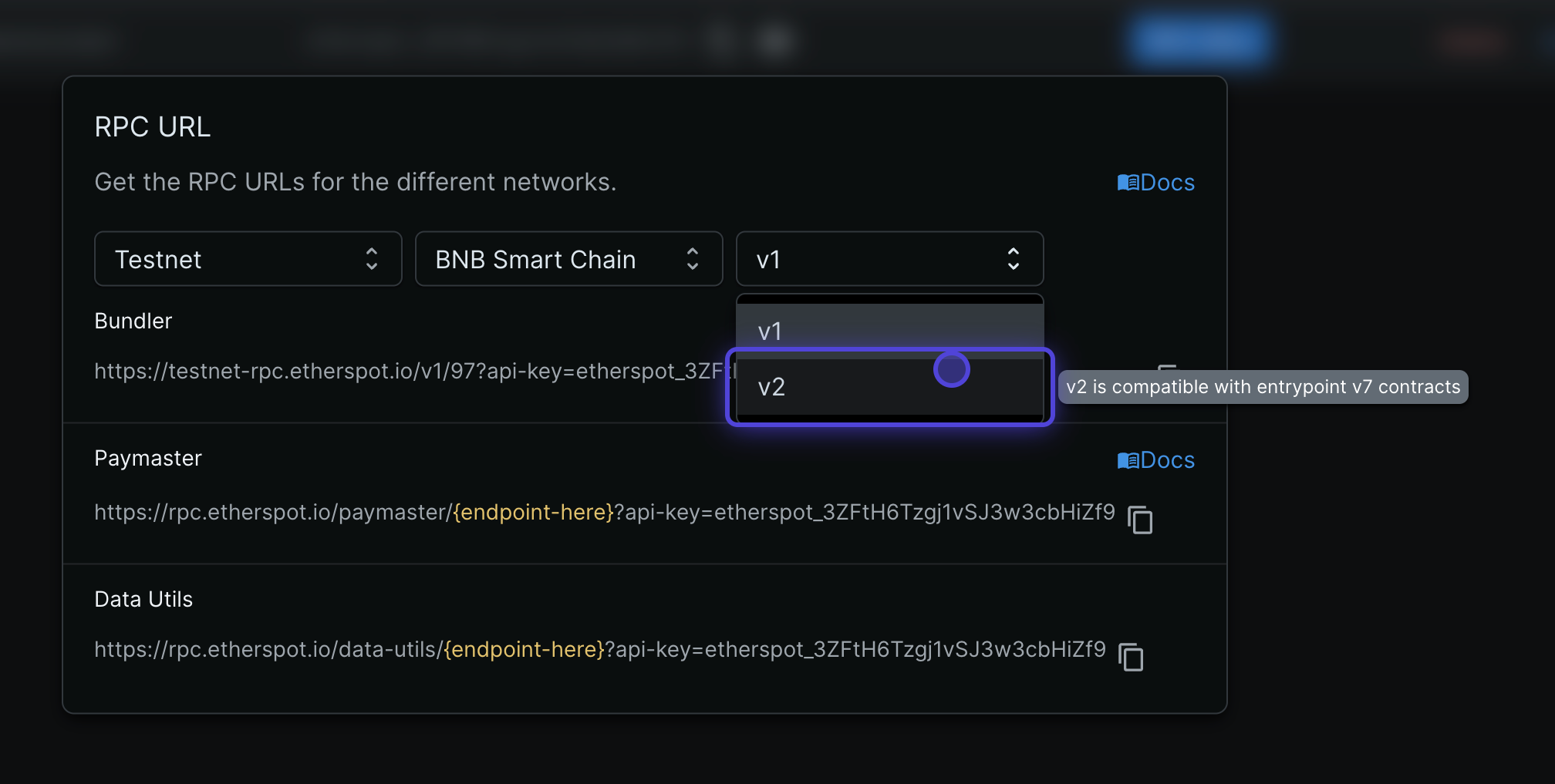
  <div className="step">
    <h3>
      <a href="https://developer.etherspot.io/dashboard/api-keys">13. Configure for EP7</a>
    </h3>

    <p>Select v2 if you need EntryPoint 7 compatibility</p>

    <img src="https://mintcdn.com/etherspot/H2UQS5QvokClTYDR/images/12.png?fit=max&auto=format&n=H2UQS5QvokClTYDR&q=85&s=27edff75a1a38ec979e1003561df5845" alt="Configure EP7" width="2016" height="1017" data-path="images/12.png" />
  </div>

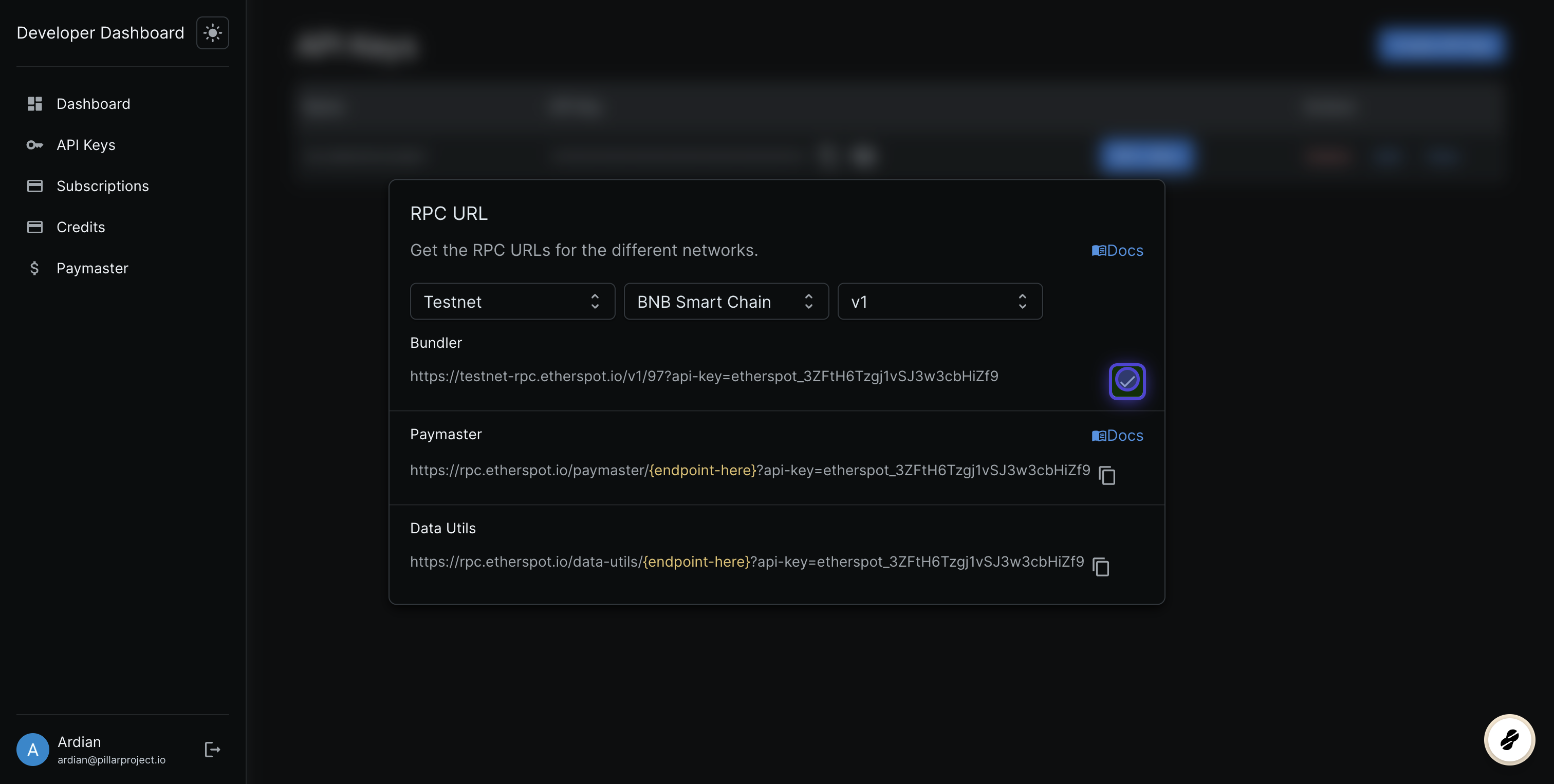
  ### [14. Copy bundler URL](https://developer.etherspot.io/dashboard/api-keys)
  ![](https://dubble-prod-01.s3.amazonaws.com/assets/240b4eb7-dc67-4024-94b7-e7fa3ac34d43.png?0)
</div>